Early access program · Mac, iPhone, iPad and Apple Watch

Enqlave AI organizes and stores your personal documents.

Your files live on your own Apple devices, with encrypted, quantum-safe backups in the cloud.

Search, ask a question, or let it show you what matters most — at your desk or at the lake.

Never lose a document again. Just Enqlave it and done.

Mac iPhone iPad Apple Watch Private encryption key Share with your trusted partner

Join the launch list

Be first to know when Enqlave launches. One email at launch — nothing else.

No spam. Mac, iPhone, iPad and Apple Watch only. We'll email you, nothing else.

Ask, and get the answer.

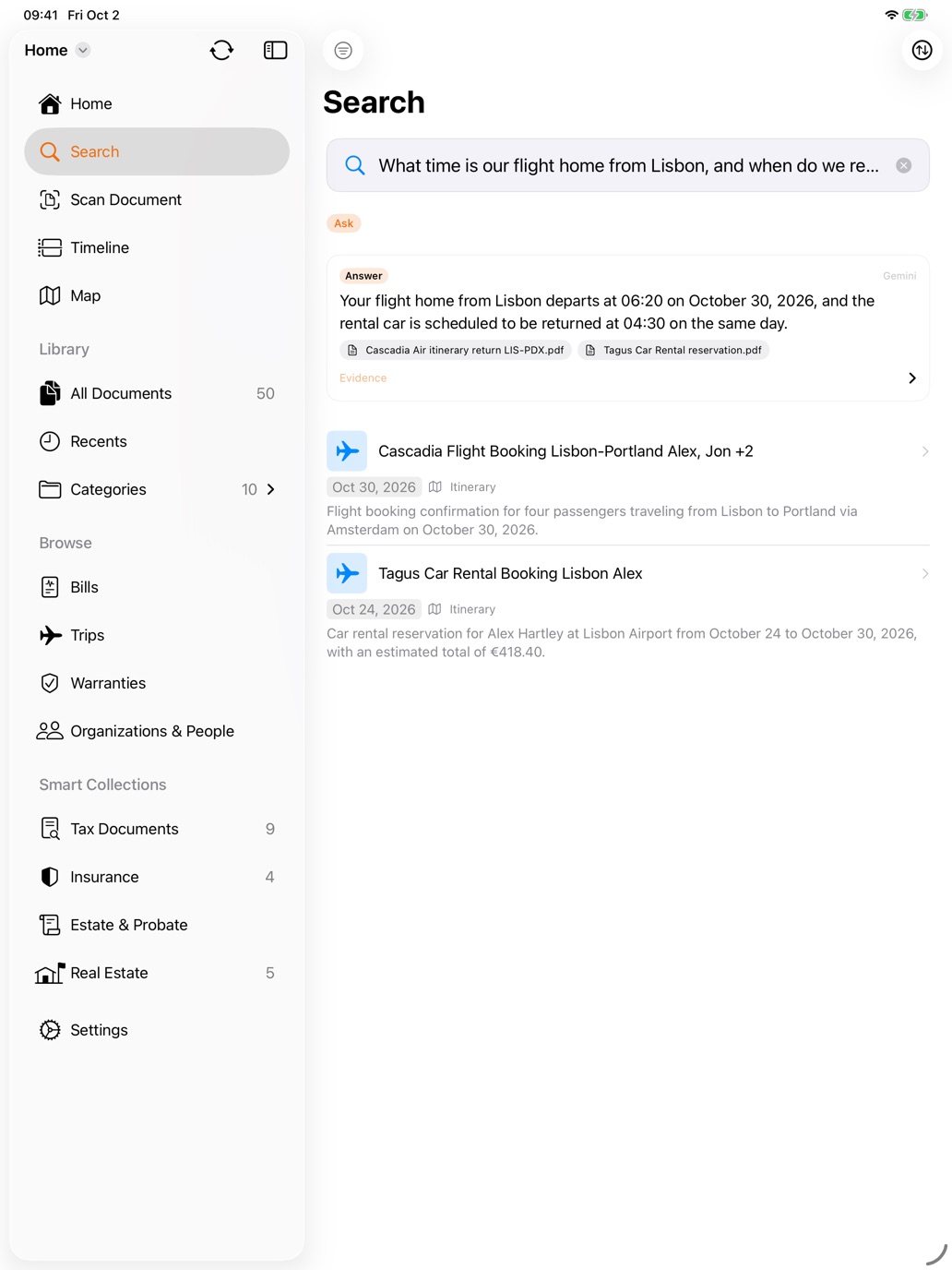
“What time is our flight home from Lisbon, and when do we return the rental car?” — one answer from two documents, the airline itinerary and the rental reservation, each one click away. Real app, fictional household.

A private archivist for your life's paperwork.

Drop a document in on any device. Enqlave does the filing, the reading and the remembering.

🧠

Organizes itself

Every document is read, understood and filed into one clear place. No tagging, no folders to maintain.

💬

Answers questions

Ask your whole library in plain language. Enqlave finds the answer, links the document it came from — and surfaces key dates before you think to ask.

🔐

Stays yours

Encrypted on your devices and synced as ciphertext. Our cloud keeps your library without ever reading it.

Capture. Organize. Ask.

Three steps — and after the first, you barely lift a finger.

Step 1 · Capture

Add documents from anywhere.

Point the Mac app at a folder of PDFs, or share from Mail, Safari, Files and Photos on iPhone and iPad. Snap a paper document — or the label off a bottle you want to remember — with your iPhone and it's in, with a dictated note if you want to say why it matters. No signal in the basement? The scan saves to your phone, and the encrypted upload catches up when you're back.

Step 2 · Organize

Read, summarized and filed — automatically.

Enqlave writes a plain-language summary, pulls out the key dates and dollar amounts, and files each document into exactly one category. Nothing for you to sort.
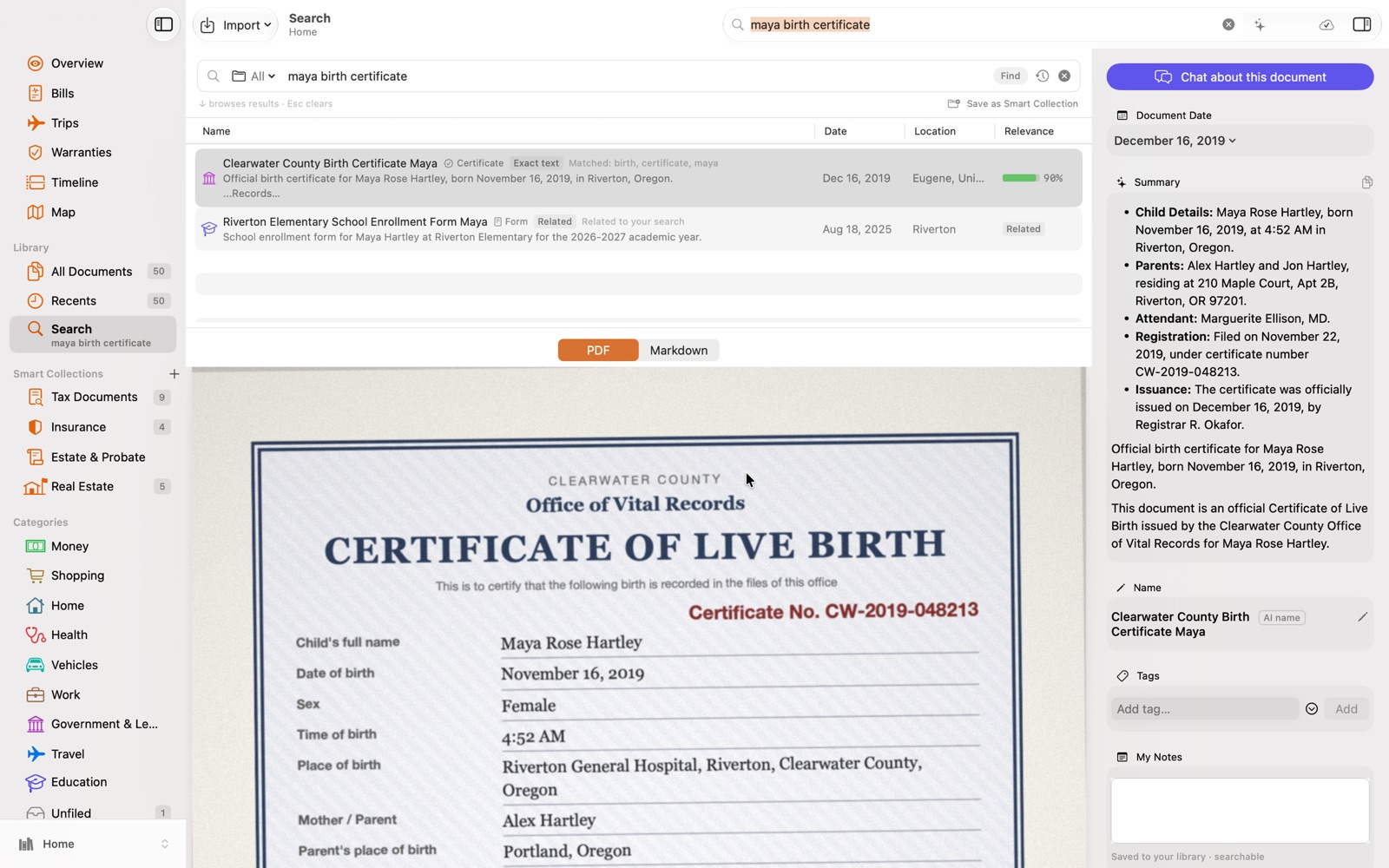
A birth certificate in Enqlave on Mac, with its summary, date and name filled in automatically
Step 3 · Ask

Find anything by simply asking.

“What's my home insurance policy number?” “What did I spend on healthcare last year?” Search reads your library and answers — with the source documents attached.
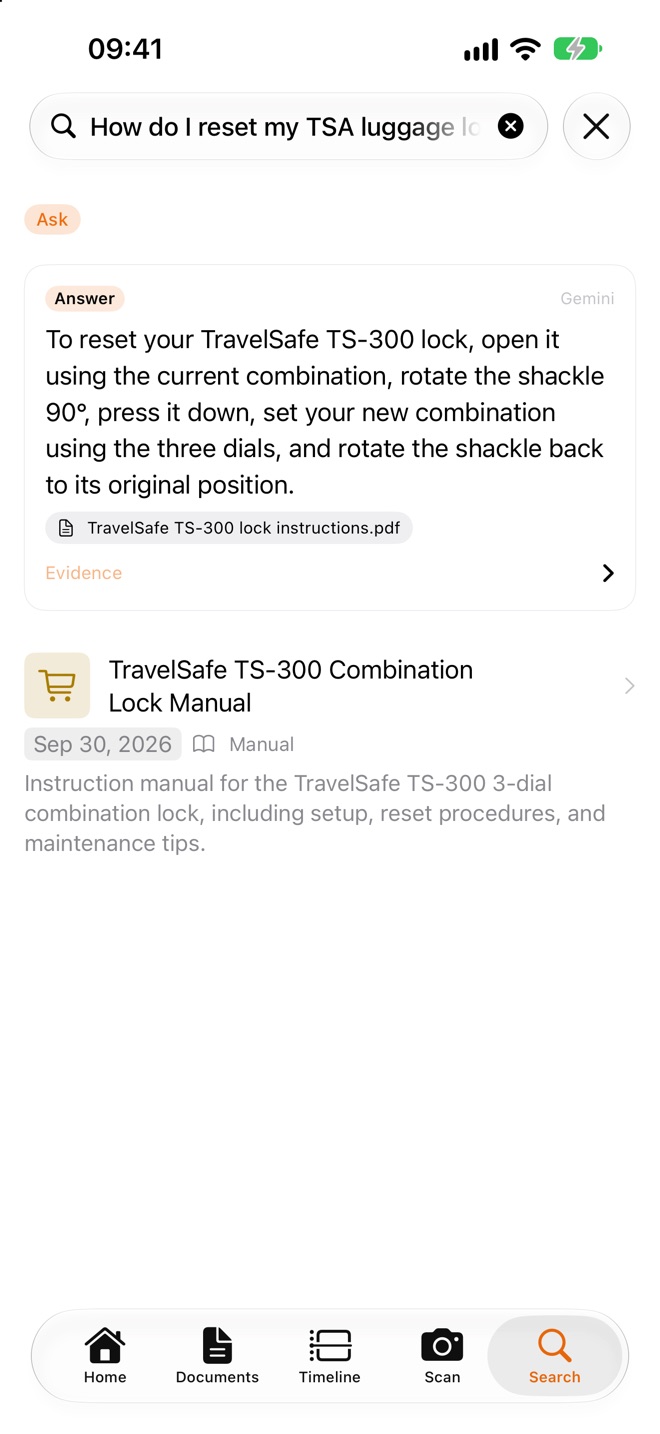
Enqlave on iPhone answering how to reset a TSA luggage lock, citing the lock's instruction leaflet
It notices

Trips assemble themselves. Due dates find you.

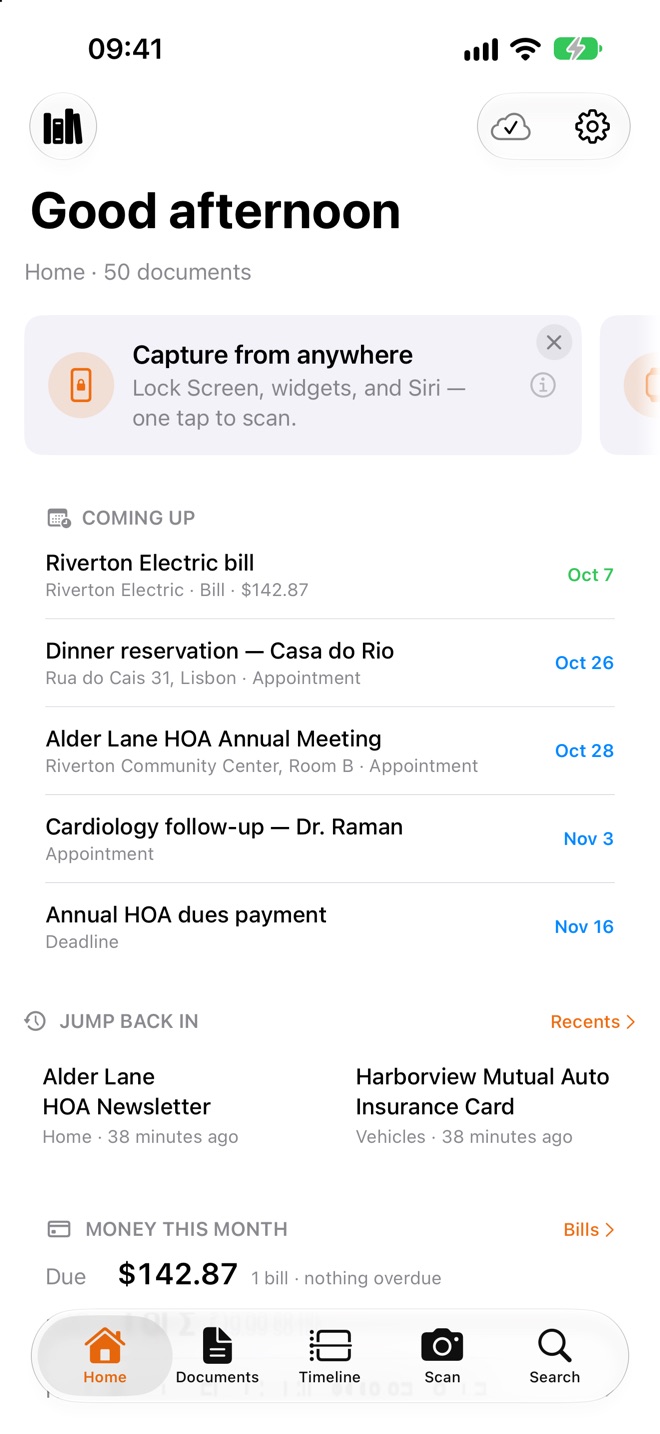
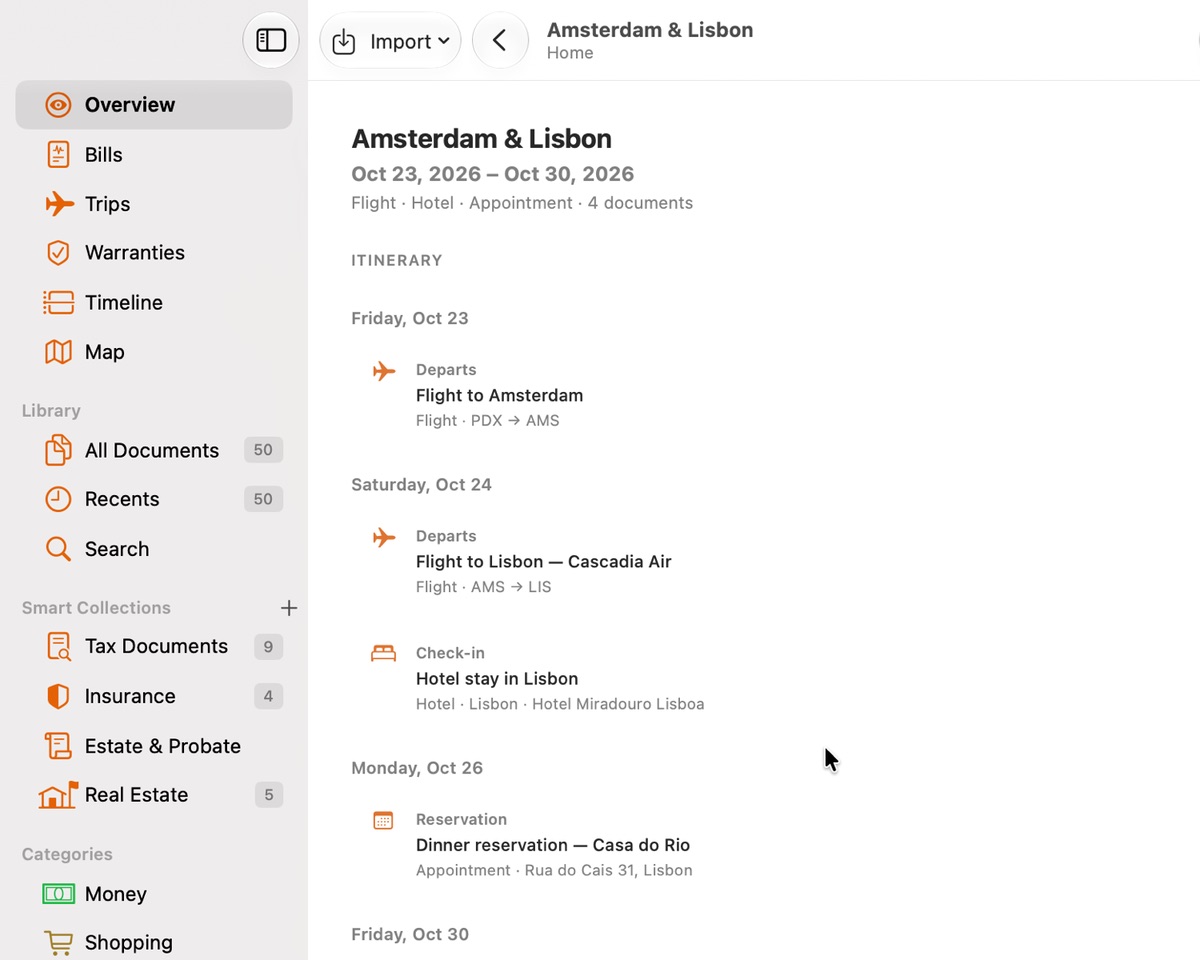
Nobody told Enqlave that two boarding passes, a hotel and a dinner booking belong together. It read the dates and places and laid out the trip. On iPhone, Home gathers what's coming up — the electric bill, the cardiology follow-up, the HOA meeting — before you have to remember it.

An Amsterdam and Lisbon trip on Mac: flights, hotel check-in and check-out, and a dinner reservation, day by day
Enqlave Home on iPhone: coming up this month, recent documents and money due
Money and dates

Bills, taxes and the whole year, already sorted.

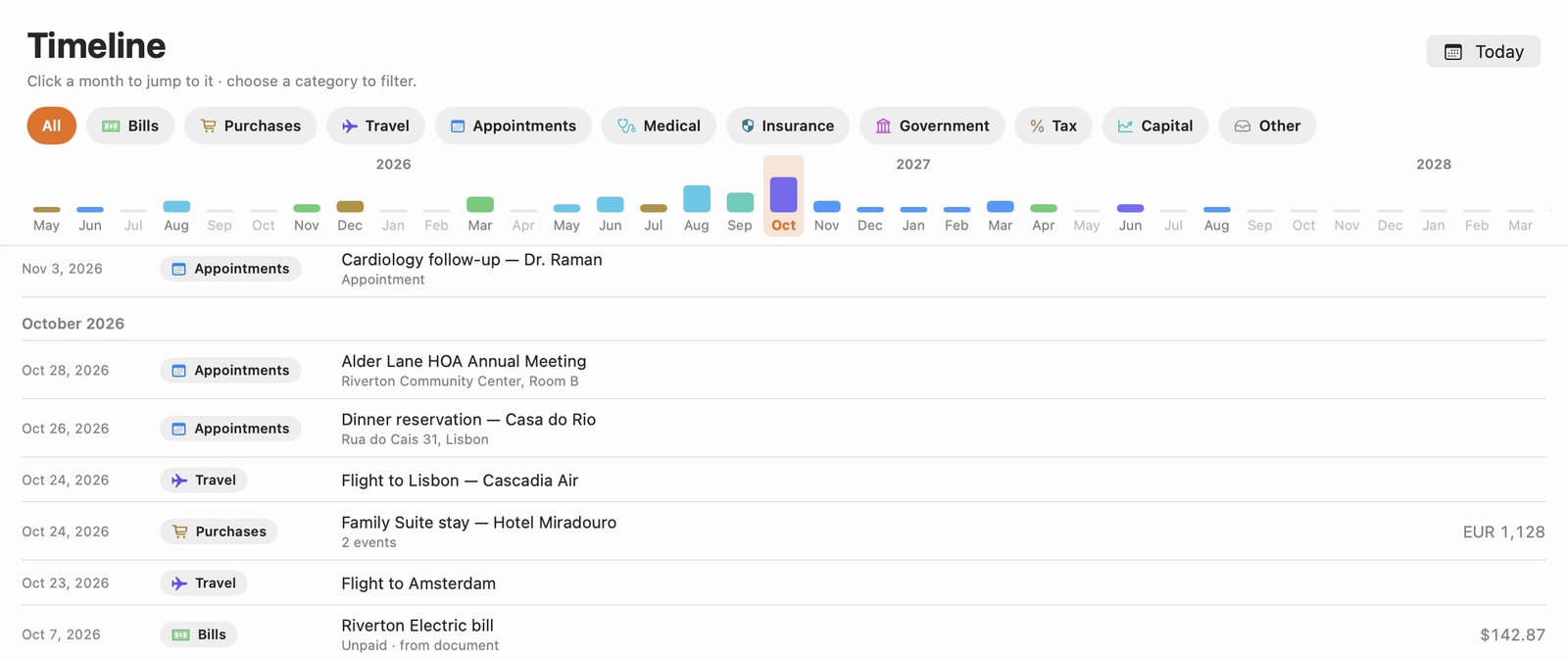
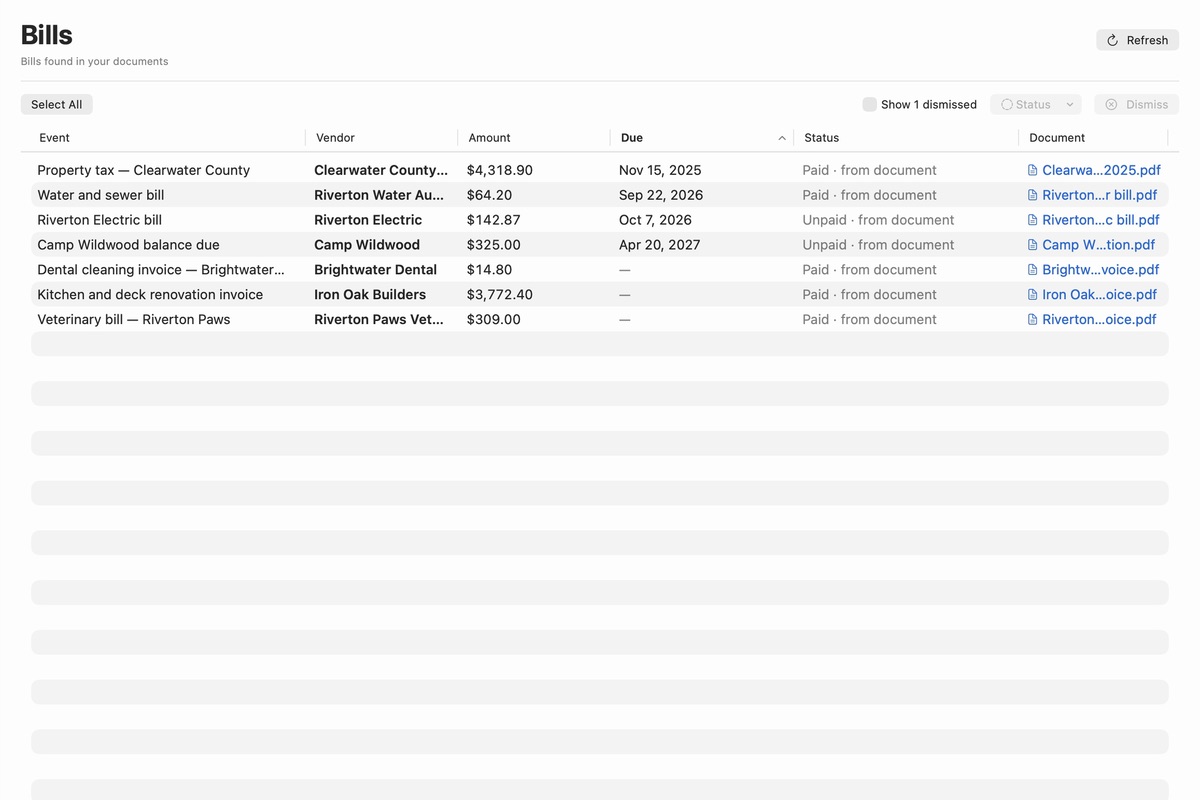
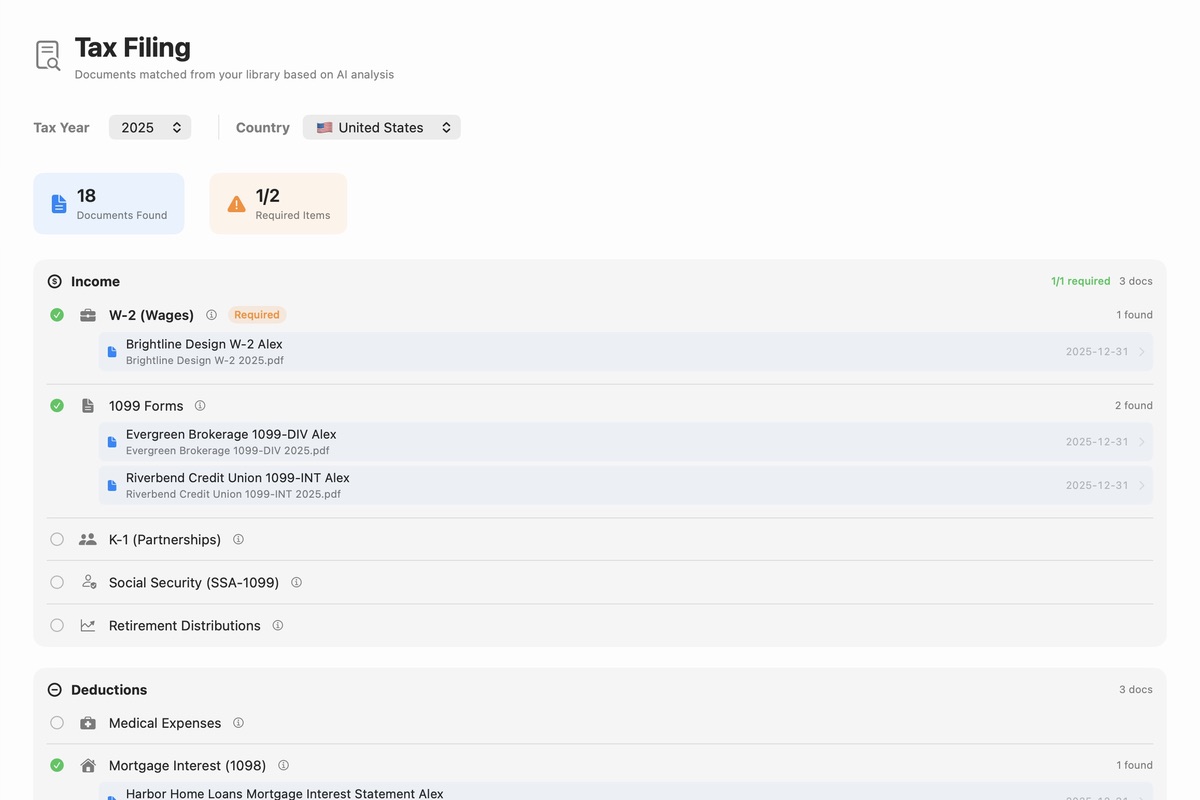
Every bill Enqlave reads lands in one list, with what's due and what's paid. At tax time, Tax Filing gathers the year's W-2, 1099s, mortgage interest statement and donation receipts, and tells you what's still missing. And the timeline lays out every date in your documents, month by month.

The Timeline on Mac: a month-by-month bar chart above October's dates — the HOA meeting, a dinner reservation in Lisbon, the flights and hotel, and the electric bill
Bills on Mac: property tax, water, electric, camp, dental, renovation and vet bills with amounts, due dates and paid status
Tax Filing on Mac for 2025: the W-2, two 1099s, the mortgage interest statement and a donation receipt found in the library
Everywhere, together

One library for the whole household.

Share a library with the people you live with. Each of them searches and asks the same documents from their own iPhone, iPad or Mac — still end-to-end encrypted — and your most recent documents are a glance away on Apple Watch.

A shared library on iPad: a family member asks when the flight home from Lisbon leaves and when the rental car is due back, and gets one answer from the airline itinerary and the rental reservation
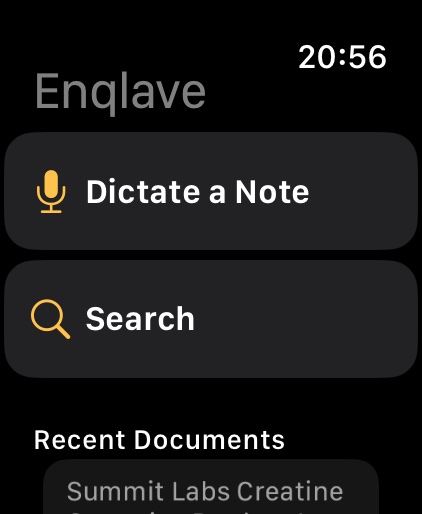
Enqlave on Apple Watch: dictate a note, search, and recent documents
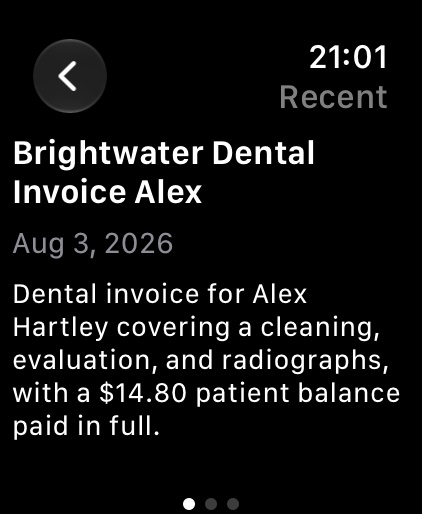
A document summary on Apple Watch
On iPhone

Paper on the counter, filed before you sit down.

Most paperwork arrives in your hands, not your inbox — so Enqlave puts capture one press away, wherever you already are. No hunting for the app first.

📸

One press from the Lock Screen

Park a Scan Document button beside the flashlight, in Control Center, or on the Action button. Press, unlock, and the camera is already waiting.

🔎

A widget that also asks

Quick Capture sits on your Home Screen: a scan tile, plus an “Ask your documents…” pill that opens straight into search with the keyboard up.

🗣️

Or just say it

“Scan with Enqlave.” Siri and Spotlight learn it on their own — and a long press on the app icon offers the same two shortcuts.

🔒

Private by architecture.

Your documents are encrypted on your devices before they ever sync. We operate the cloud that keeps your library in step across devices — but it only ever holds data we cannot read.

Our vision: intelligence that works for you on hardware you control — moving ever closer to fully private, on-device AI.

“I could file all this in iCloud Drive.”

You could. Be honest — you won't. Nobody does. That's not a discipline problem, it's a tooling problem: a drive is a place you put things, and then the work is on you.

🗄️

A place you put things

  • You make the folders.
  • You name the files.
  • You remember what's in there.
  • It never says a word.
💡

An archivist that speaks up

  • Files itself — no folders, no naming.
  • Reads and summarizes every page.
  • Flags expirations before they bite.
  • Answers when you ask.

Meet your archivist.

Enqlave is coming to Mac, iPhone, iPad and Apple Watch. Add your name and we'll tell you the day it launches.

Join the launch list
Company

Made by Enqlave AI, Inc.

Enqlave is built and operated by Enqlave AI, Inc., an independent software company incorporated in Delaware, United States. We make private, AI-assisted document software for Mac, iPhone, iPad and Apple Watch.

Company Enqlave AI, Inc.
Mailing address
5830 East 2nd St. PMB 91378
Casper, WY 82609
United States
Email hello@enclave-ai.com